






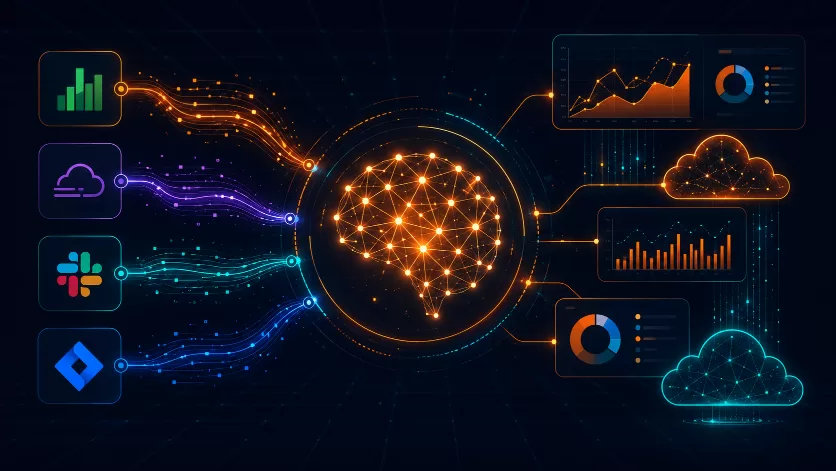

Managing cloud costs has always been a time-consuming task. Engineering and finance teams often spend hours tracking down spending spikes. Now, however, AWS has changed how that works. On June 9, 2026, Amazon Web Services launched the AWS FinOps Agent in public preview. This AI-powered tool automatically investigates cost anomalies and answers cost questions in plain English. In addition, it delivers findings directly inside tools your teams already use, like Slack and Jira.
If your organization wants to move beyond reactive, monthly cost reviews, the AWS FinOps Agent is worth your attention.
What Is the AWS FinOps Agent?
The AWS FinOps Agent is an AI solution built by Amazon Web Services. Specifically, it helps engineering, finance, and FinOps teams manage cloud spending continuously. Rather than waiting for monthly reviews, the agent monitors your environment around the clock. It acts the moment something changes.
FinOps — short for financial operations — is the practice of bringing engineering, finance, and business teams together. The goal is to maximize cloud value. Therefore, the AWS FinOps Agent is designed to make that practice work at scale, every day.
To deliver its answers, the agent draws on four core AWS services:
- AWS Cost Explorer for cost and usage trends
- Cost Anomaly Detection for real-time spike alerts
- Cost Optimization Hub for rightsizing recommendations
- AWS Compute Optimizer for resource efficiency insights
As a result, the agent speaks the same data language your FinOps team relies on. Moreover, it puts that intelligence directly in the hands of every engineer on your team.
Key Features of the AWS FinOps Agent
1. Automated Cost Anomaly Investigation
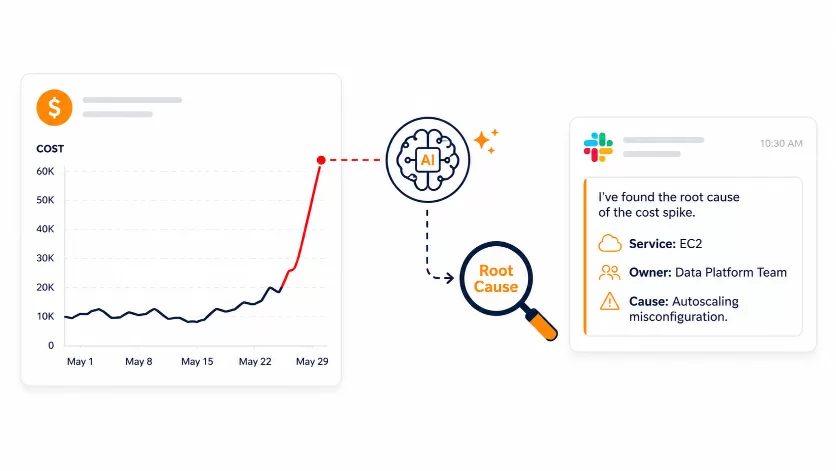
When a cost spike occurs, the AWS FinOps Agent does not just alert you. Instead, it investigates. It checks the cost change against AWS CloudTrail events. Then it identifies which resource or configuration caused the spike. Finally, it produces a clear summary with the likely root cause and the responsible owner.
The agent then delivers those findings to a Jira ticket or a Slack channel. This means the right engineer sees the issue immediately. You can also set a dollar threshold so the agent focuses only on your highest-impact anomalies.
As a result, cost anomaly response changes from a manual, multi-hour task into an automated workflow that runs in the background.
2. Cost Questions in Natural Language
Engineers no longer need to know SQL or FinOps jargon. With the AWS FinOps Agent, they simply ask questions in plain English:
“Why did my AWS cost go up last month?” “What are the top 10 cost drivers for the data platform accounts?”
The agent reads your actual cost and usage data. Then it responds with a clear, actionable answer. You can also upload context files — such as account-to-owner mappings and team definitions. This way, the agent understands your organization’s specific structure.
3. Recurring Cost Reports on a Schedule
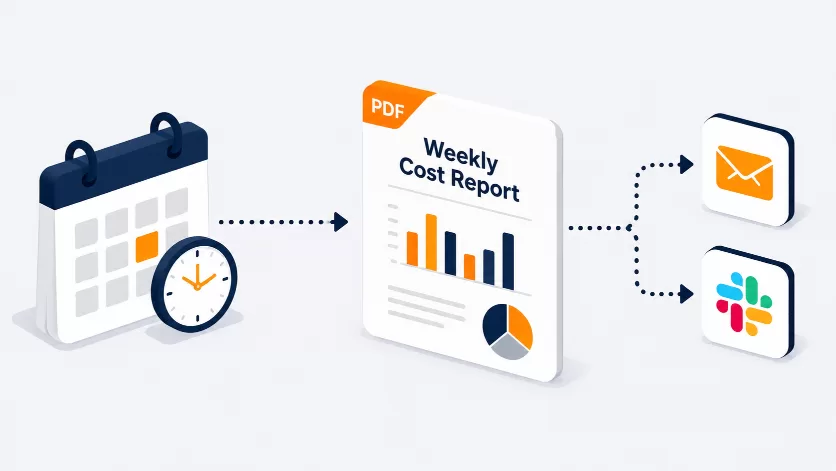
The AWS FinOps Agent can generate cost reports on a set schedule — daily, weekly, or monthly. Furthermore, it produces those reports in a presentation-ready format: HTML, PDF, or PPT. Reports that used to take hours of manual work can now run automatically, ready for leadership review.
4. Optimization Recommendations in One Place
The agent pulls rightsizing and savings recommendations from AWS Cost Optimization Hub and AWS Compute Optimizer. It then summarizes them into a single Jira ticket. As a result, engineering teams can pick up the work directly in the tool they already use. There is no need to switch between multiple AWS consoles.
5. Context Files and Memory
The AWS FinOps Agent remembers your preferences across sessions. In addition, it applies your organization-specific context files to every answer. Over time, therefore, it becomes more accurate and more aligned with how your teams think about cloud costs.
Who Is Already Using the AWS FinOps Agent?
Several leading organizations joined the early access program. Their results clearly show the real-world value of the agent.
Workday uses the agent to find cost anomalies with context and produce monthly trend reports automatically. Consequently, their AI Platform Infrastructure team saves hours of manual dashboard work each month.
Convera, a global payments company, relies on the agent to catch small, unintended cost changes early. The agent detects the anomaly, investigates the root cause, and opens a Jira ticket to the responsible engineer — all without manual triage.
Mitre 10, New Zealand’s largest home improvement retailer, uses the agent to run cost review workflows in the background. As a result, their lean platform engineering team can focus on reliability work instead of cost chasing.
AVIV Group manages hundreds of AWS accounts across digital real estate platforms in Europe. They use the agent to answer engineer questions directly. This reduces back-and-forth that used to route through their small central FinOps team.
How to Get Started with the AWS FinOps Agent
Setting up the AWS FinOps Agent is straightforward. In fact, it typically takes under 10 minutes. Here are the steps:
- Sign in to the AWS Management Console and switch to the US East (N. Virginia) region.
- Open the AWS FinOps Agent Console and create your first agent.
- Complete the one-click IAM role setup to give the agent access to your cost data.
- Optionally, connect Jira and Slack for automated ticket creation and notifications.
- Upload your context files — account-to-owner mappings, tagging rules, and team instructions.
- Run your first plain-English query to start exploring your cloud costs.
- Set up event-triggered automation to investigate anomalies and post findings to Slack.
During the public preview, you can use the AWS FinOps Agent at no charge, subject to a monthly usage limit. However, standard charges still apply to the underlying AWS services it uses, such as Cost Explorer API calls.
Availability
The AWS FinOps Agent is currently in public preview in the US East (N. Virginia) region. However, it can manage costs across all AWS regions and accounts when deployed in your management account. Moreover, AWS has confirmed that additional capabilities — including cost analysis for AI workloads — will be added over time.
Why This Matters for AWS Partners and Their Customers
As an AWS Partner, Electromech Cloudtech helps organizations across India architect, optimize, and govern their AWS environments. The AWS FinOps Agent is, therefore, a significant step forward for cloud cost management. It makes FinOps accessible to every team — not just central specialists.
For companies managing multiple AWS accounts, fast engineering cycles, or large cloud footprints, the agent can meaningfully cut time spent on cost investigations. Furthermore, it reduces the risk of undetected cost overruns. Most importantly, it enables a shift from reactive monthly reviews to continuous cost governance.
If you want to understand how the AWS FinOps Agent fits your cloud strategy, get in touch with our team. We can help you assess your FinOps maturity and design an implementation plan that delivers real savings.
Final Thoughts
The AWS FinOps Agent brings together cost intelligence, AI, and workflow automation. As a result, continuous cloud cost management is now achievable for teams of any size. It automatically investigates anomalies, answers engineer questions, and delivers findings where work already happens. In short, it removes the manual steps that have always slowed FinOps programs down.
To learn more, visit the official AWS FinOps Agent product page or read the AWS User Guide.
Frequently Asked Questions: AWS FinOps Agent
What is the AWS FinOps Agent?
The AWS FinOps Agent is an AI-powered tool from Amazon Web Services. It helps engineering, finance, and FinOps teams monitor cloud costs, investigate spending spikes, and find savings opportunities — without switching between dashboards or writing complex queries.
Is the AWS FinOps Agent free to use?
During the public preview, you can use the AWS FinOps Agent at no charge. However, a monthly usage limit applies. In addition, standard charges for underlying AWS services — such as Cost Explorer API calls — still apply as normal.
Which AWS region is the AWS FinOps Agent available in?
The agent is currently available in the US East (N. Virginia) (us-east-1) region. However, once deployed in a management account, it can monitor costs across all AWS regions and member accounts in your organization.
What AWS services does the AWS FinOps Agent use?
The agent draws on four core services. These are AWS Cost Explorer for cost and usage data, Cost Anomaly Detection for real-time alerts, Cost Optimization Hub and AWS Compute Optimizer for rightsizing recommendations, and AWS CloudTrail to trace the root cause of cost changes.
What third-party tools does the AWS FinOps Agent integrate with?
The AWS FinOps Agent integrates with Jira and Slack. Specifically, it can create Jira tickets with anomaly findings and post scheduled reports or alerts to Slack channels your team already monitors.
How does the Slack integration work?
An administrator installs the AWS FinOps Agent Slack app and links specific channels to the agent. The agent then posts anomaly findings, reports, and task output to those channels. However, during the preview, engineers cannot chat with the agent inside Slack directly. Instead, interactions happen through the agent’s web app in the AWS Console.
Can I limit which cost anomalies the agent investigates?
Yes. You can set a dollar threshold in your automation prompt. As a result, the agent only investigates anomalies above that spend level. This keeps your team focused on high-impact changes and avoids noise from minor fluctuations.
Does the agent understand our internal account and team structure?
Yes. You can upload context files — such as account-to-owner mappings, team definitions, and tagging rules. The agent then uses these files to understand how your organization is structured. For example, if an engineer asks “What is Team X’s cost?”, the agent maps that to the correct accounts and returns an accurate answer.
Is my cost data secure?
Yes. The AWS FinOps Agent reads cost data through IAM roles you configure. By default, it operates in read-only mode. Write actions — such as creating a Jira ticket — only happen when you have set up that integration and specifically requested the action. Furthermore, all agent activity is logged in AWS CloudTrail for full auditability.
Can member account owners use the AWS FinOps Agent independently?
Yes. Management account admins can create an agent that covers the entire organization. However, member account owners can also create their own agent scoped to their individual account. This supports both centralized and hybrid FinOps models.
What AI model powers the AWS FinOps Agent?
The AWS FinOps Agent is powered by Amazon Bedrock foundation models. However, AWS has not disclosed the specific underlying model as of the preview launch.
How do I get started with the AWS FinOps Agent?
Sign in to the AWS Management Console and switch to the us-east-1 region. Then open the AWS FinOps Agent Console. From there, create your first agent, complete the IAM role setup, and optionally connect Jira and Slack. Finally, run your first plain-English cost query. The full setup typically takes under 10 minutes.