





Table of Contents
- What Is AWS Outposts?
- How AWS Outposts Works
- AWS Outposts Form Factors
- AWS Services Available on AWS Outposts
- Key Use Cases for AWS Outposts
- AWS Outposts vs. Competitors
- AWS Outposts Pricing
- How to Set Up AWS Outposts: Step-by-Step
- AWS Outposts Best Practices
- Limitations of AWS Outposts
- Real-World Examples
- Frequently Asked Questions
- Conclusion
What Is AWS Outposts?
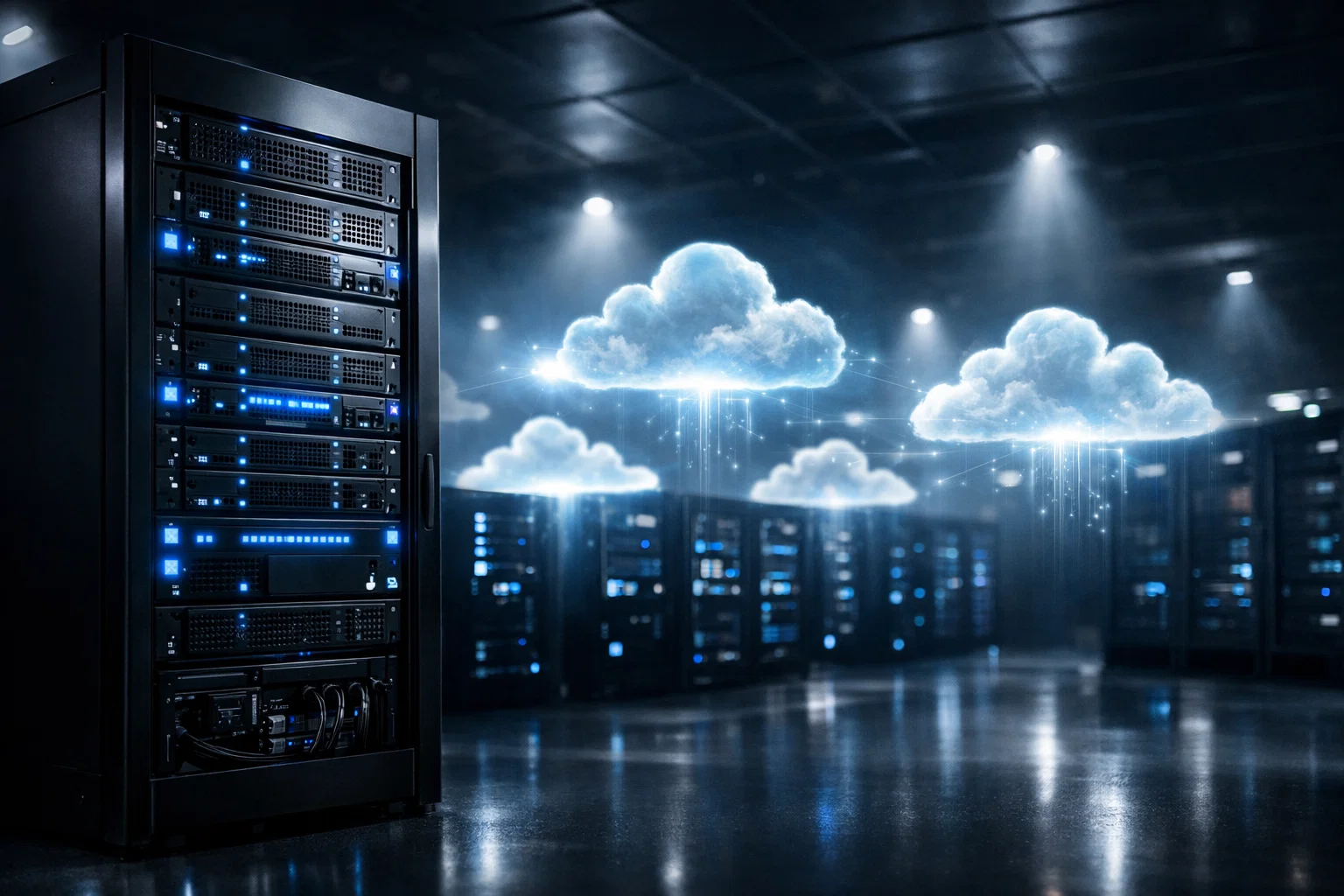
AWS Outposts is a fully managed hybrid cloud service from Amazon Web Services that brings AWS tools, services, and infrastructure directly to your on-premises data center, colocation space, or edge location.
In simple terms, AWS Outposts moves the public cloud into your physical building. Rather than sending workloads to a faraway AWS data center, you run AWS compute, storage, and database services on hardware that sits inside your own facility. Meanwhile, AWS manages, monitors, and maintains that hardware as part of a standard AWS Region — so you get all the cloud benefits without giving up local control.
This setup is especially valuable for organizations that need:
- Ultra-low latency access to on-premises systems (single-digit milliseconds)
- Data residency rules — keeping data within a specific country, state, or building
- Application migration where older systems rely on local infrastructure
- Local data processing for manufacturing, healthcare, or financial workloads
AWS Outposts became generally available in 2019. Since then, however, it has grown rapidly — as of 2026, second-generation racks now ship to more than 20 new countries, and S3 on second-generation Outposts has reached general availability.
How AWS Outposts Works
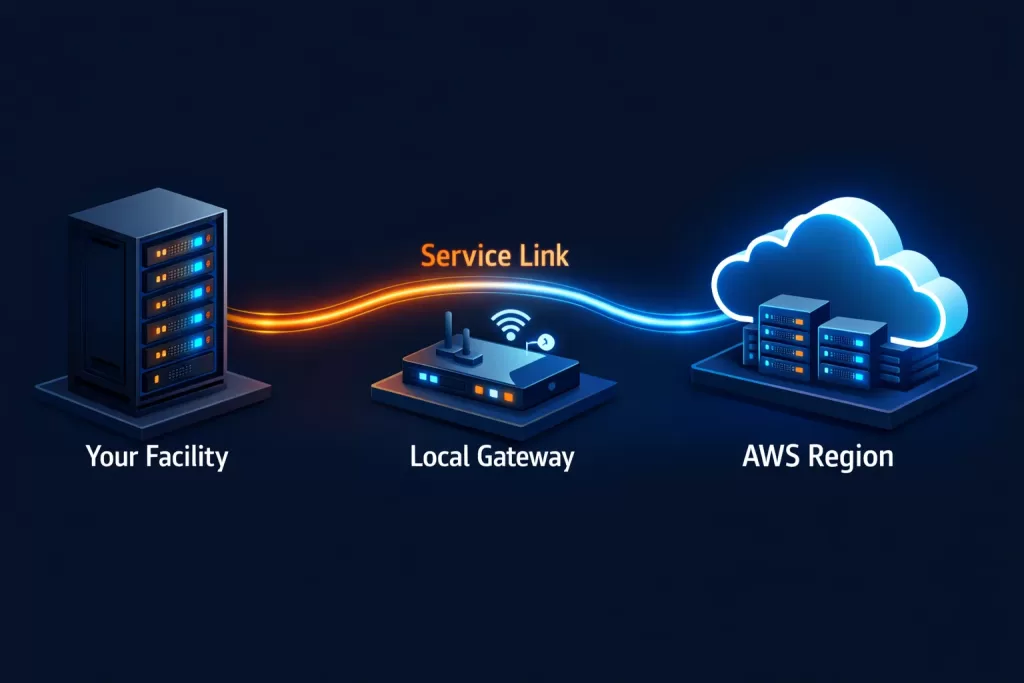
AWS Outposts runs as an extension of an existing AWS Availability Zone (AZ) and its connected Region. To understand the full picture, it helps to walk through each layer of the architecture.
1. Physical Hardware Deployment
First, AWS ships, installs, and operates physical rack or server hardware at your facility. Importantly, this hardware is owned and fully managed by AWS — not by your team.
2. Service Link
A Service Link is the network path connecting your Outpost back to its home AWS Region. All management traffic, updates, and monitoring signals travel over this link. You can route it through the public internet or, for better security, through AWS Direct Connect. Furthermore, with AWS Outposts Private Connectivity, you can channel the Service Link entirely through Direct Connect to keep all traffic off the public internet.
3. Local Gateway (LGW)
The Local Gateway handles Layer 3 network connectivity between your Outpost and your on-premises network. Specifically, it supports two routing modes:
- Direct VPC routing — shares VPC subnet addresses with your on-premises network using BGP
- Customer-owned IP (CoIP) routing — uses your own IP address pool, with the LGW handling address translation
4. VPC Extension
Your Outpost becomes a subnet within your existing Amazon Virtual Private Cloud (VPC). As a result, EC2 instances, EBS volumes, RDS databases, and ECS containers on the Outpost communicate with Region-based resources using private IP addresses inside the same VPC — without any need to redesign your existing network layout.
5. Management Plane Stays in Region
Even though compute runs locally, you manage everything through the same AWS Console, CLI, and SDKs you already use. In other words, services like IAM, CloudFormation, CloudWatch, and CloudTrail stay in the connected Region and behave exactly as they do for cloud resources.
Form Factors
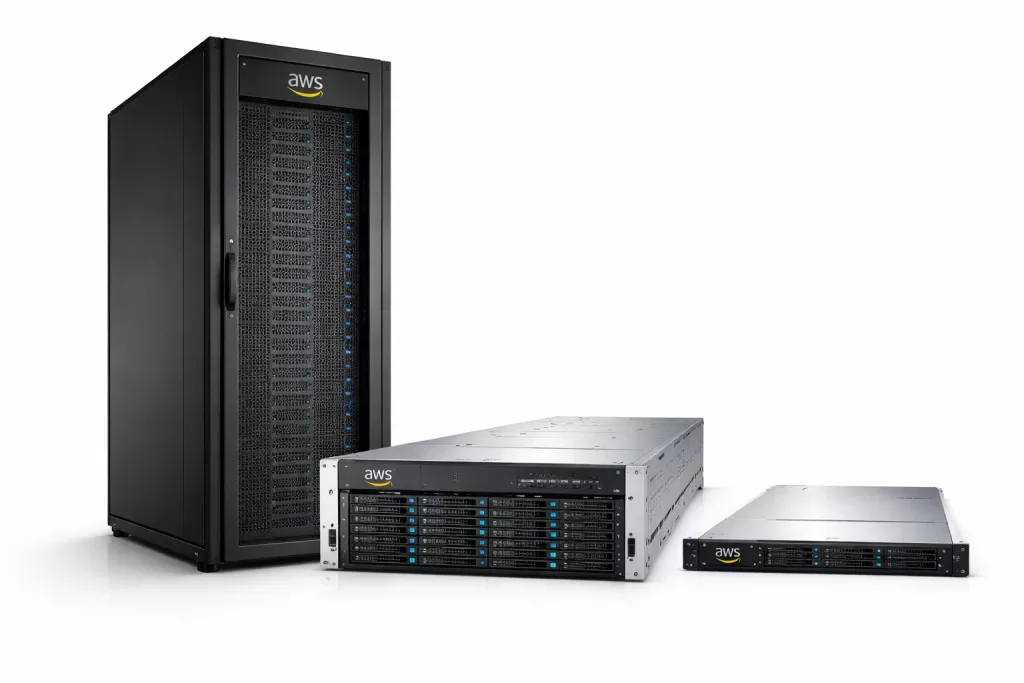
AWS Outposts comes in three main sizes designed to fit different space constraints and workload requirements.
AWS Outposts Racks (42U)
The full-size rack is the flagship option. It is an industry-standard 42U cabinet that delivers AWS compute, storage, and database services locally inside a data center or colocation facility.
Key specifications:
- Scales from a single 42U rack up to 96 racks in a multi-rack setup
- ACE (Aggregation, Core, Edge) racks handle network aggregation in larger deployments
- First-generation supports C5, M5, and R5 EC2 instance families
- Second-generation (released January 2026) supports C7i, M7i, and R7i — delivering up to 40% better compute performance compared to first-generation hardware
- Additionally, second-generation racks include accelerated networking instances for high-throughput, low-latency workloads
- Now available in 20+ new countries added in January 2026, including India, South Korea, South Africa, and Nigeria
Best for: Data centers and colocation facilities that need large-scale, production-grade AWS services on-premises.
AWS Outposts Servers (1U and 2U)
For locations where a full rack is not practical, AWS offers compact server units. These are designed specifically for branch offices, retail stores, and edge sites with limited floor space.
| Feature | 1U Server | 2U Server |
|---|---|---|
| Processor | AWS Graviton2 (Arm-based) | 3rd Gen Intel Xeon Scalable |
| EC2 Instance Family | C6gd (compute optimized) | C6id (compute optimized) |
| Depth | 24 inches | 30 inches |
| Local Storage | Up to 4x 1.9 TB NVMe SSD | Up to 4x 1.9 TB NVMe SSD |
| Cabinet Fit | 19″ EIA-310 standard cabinet | 19″ EIA-310 standard cabinet |
| Supported Services | ECS, IoT Greengrass, EC2 | ECS, IoT Greengrass, EC2 |
Best for: Retail stores, branch offices, healthcare clinics, factory floors, and any edge location with limited rack space.
AWS Services Available on AWS Outposts
One of the strongest reasons to choose AWS Outposts is that it lets you run familiar AWS services locally — using the same APIs and tools you already know. Below is a full breakdown organized by service category.
Compute
| Service | Form Factors | Notes |
|---|---|---|
| Amazon EC2 | Racks + Servers | Supports M7i, C7i, R7i (Gen 2 racks); C6gd, C6id (servers); general-purpose, compute, memory, and accelerated instance types |
| Amazon EBS | Racks | Local block storage with snapshot support; gp2 and io2 volume types available |
Containers
| Service | Form Factors | Notes |
|---|---|---|
| Amazon ECS | Racks + Servers | Run containers on-premises using the same ECS console and APIs as in the cloud |
| Amazon EKS | Racks + Servers | Managed Kubernetes on-premises; keeps container workloads close to local systems |
Storage
| Service | Form Factors | Notes |
|---|---|---|
| Amazon S3 on Outposts | Racks | Generally available on second-generation racks as of January 2026; three tiers: 196 TB, 490 TB, 786 TB; max 100 buckets per Outpost; max 50 TB per bucket; uses standard S3 APIs |
Database and Caching
| Service | Form Factors | Notes |
|---|---|---|
| Amazon RDS | Racks | Supports MySQL, PostgreSQL, and Microsoft SQL Server; includes automated patching, backups, and failover |
| Amazon ElastiCache | Racks | Local in-memory caching for Redis-compatible workloads |
Networking
| Service | Form Factors | Notes |
|---|---|---|
| Amazon VPC | Racks + Servers | Extend your existing VPC directly to the Outpost subnet |
| Elastic Load Balancing (ALB) | Racks | Distributes incoming traffic across Outpost-based targets |
| Route 53 Resolver on Outposts | First-gen Racks only | Provides local DNS resolution on-premises |
Analytics
| Service | Form Factors | Notes |
|---|---|---|
| Amazon EMR | Racks | Run large-scale data jobs (Spark, Hadoop) locally |
Edge and IoT
| Service | Form Factors | Notes |
|---|---|---|
| AWS IoT Greengrass | Servers | Local IoT processing and machine learning inference at the edge |
Management and Operations (Region-side)
Although the following services run in the connected Region, they manage your Outpost resources just as smoothly as any cloud resource:
- AWS CloudFormation — repeatable infrastructure as code
- Amazon CloudWatch — metrics, monitoring, and alerting
- AWS CloudTrail — full API audit logging
- AWS IAM — identity and access control
- AWS Systems Manager — patch management and operational automation
- AWS Control Tower — security guardrails and multi-account governance
- Amazon Elastic Beanstalk — simplified application deployment
- AWS Cloud9 — browser-based development environment
Key Use Cases for AWS Outposts
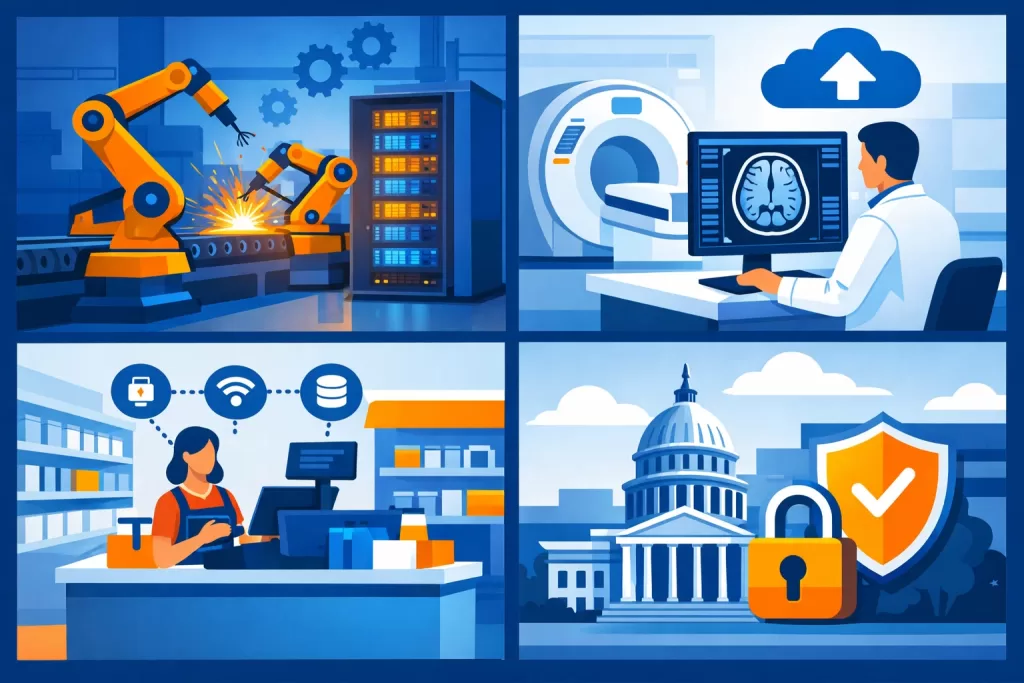
1. Low-Latency Applications
When the nearest public cloud region adds too much delay — more than a few milliseconds — AWS Outposts lets you run workloads right where data is created. For example, common use cases include:
- Manufacturing Execution Systems (MES) — real-time production monitoring and line control on factory floors
- High-Frequency Trading (HFT) — order execution where fractions of a millisecond affect outcomes
- Medical Diagnostics and Imaging — fast scan analysis and AI inference at hospital sites
- Online Gaming — running game servers close to players for a smooth, responsive experience
2. Data Residency and Regulatory Compliance
Many industries must follow laws that require data to stay within a specific country, region, or building. Consequently, sending everything to a public cloud Region is simply not an option for those teams.
AWS Outposts gives you direct control over where workloads run and where data lives, while still using fully managed AWS services. Industries that commonly rely on this include:
- Financial Services — regional banking regulations, PCI DSS compliance
- Healthcare — HIPAA, GDPR, and country-specific health data rules
- Government — sovereign cloud requirements (for example, India’s Meghraj 2.0 initiative)
- Oil and Gas — operational data rules tied to specific geographic areas
3. Application Migration with Local Dependencies
Many older applications are tightly linked to on-premises systems — legacy databases, mainframes, or specialized hardware — that make a full move to the cloud very difficult. In these situations, AWS Outposts enables a lift-and-shift approach: you run AWS services locally alongside legacy systems and then gradually reduce those tight dependencies over time.
4. Hybrid Cloud Consistency
Teams that already build on AWS in the cloud can now deploy the same code, the same APIs, and the same tooling on-premises without additional training. Therefore, organizations can eliminate the ongoing burden of supporting two separate skill sets — one for cloud, one for on-premises infrastructure.
5. Edge Computing and IoT
In retail stores, branch offices, and remote industrial sites, AWS Outposts servers provide local compute without needing a full rack. Moreover, when combined with AWS IoT Greengrass, teams can run machine learning models, filter sensor data, and trigger local actions — all without a round trip to the cloud.
AWS Outposts vs. Competitors
When choosing a hybrid cloud platform, it is worth comparing AWS Outposts against its two main alternatives: Microsoft Azure Stack Hub and Google Distributed Cloud.
| Feature | AWS Outposts | Azure Stack Hub | Google Distributed Cloud |
|---|---|---|---|
| Managed by cloud provider | Yes — fully managed | Partially managed | Yes — fully managed |
| Form factor | 1U, 2U, or 42U rack | Integrated system | Appliance or rack |
| Native cloud API parity | High — same EC2, RDS, ECS APIs | High — Azure Resource Manager | High — GKE, BigQuery |
| Kubernetes support | EKS on Outposts | AKS on Azure Stack | GKE on Distributed Cloud |
| Managed database on-premises | RDS (MySQL, PostgreSQL, SQL Server) | SQL Managed Instance | AlloyDB Omni |
| IoT and Edge support | AWS IoT Greengrass | Azure IoT Edge | Google Distributed Cloud Edge |
| Multi-rack support | Up to 96 racks | Up to 16 nodes | Varies by config |
| Global availability | 30+ countries (as of 2026) | 50+ regions | Limited |
| Pricing model | 3-year committed capacity | Per node + software fees | Contact sales |
In summary, AWS Outposts offers the widest set of managed services on-premises, the most mature multi-rack architecture, and the deepest connection to the broader AWS ecosystem. As a result, organizations already investing heavily in AWS tend to gain the most from choosing Outposts over its rivals.
AWS Outposts Pricing
Understanding AWS Outposts costs is straightforward once you know the two main billing components.
1. Outposts Capacity Reservation (Hardware Fee)
You commit to a 3-year term that covers the physical Outpost hardware. This fee works similarly to a capital expense and includes:
- Hardware sourcing, delivery, and installation
- Ongoing maintenance and parts replacement
- AWS-managed operations and around-the-clock monitoring
The exact price depends on several factors:
- Form factor — 1U server, 2U server, or 42U rack
- Instance mix — compute-focused, memory-focused, or GPU-based instances
- Storage size — which EBS and S3 capacity tiers you select
- Home Region — pricing varies slightly by connected AWS Region
2. On-Demand or Reserved Instance Fees
In addition to the hardware reservation, you pay standard EC2 instance rates for the workloads running on your Outpost — just as you would in a regular AWS Region. To reduce those per-instance costs further, you can apply Reserved Instances or AWS Savings Plans.
S3 on Outposts Pricing
For second-generation racks, S3 on Outposts pricing is based on the storage tier you choose at order time (196 TB, 490 TB, or 786 TB). This cost is bundled into the Outpost capacity reservation rather than billed as a separate line item.
💡 Tip: Use the AWS Pricing Calculator to model your specific setup. Compare the 3-year term cost against your current hardware refresh cycle to get a true total-cost-of-ownership picture.
How to Set Up AWS Outposts
Setting up AWS Outposts is a structured process that brings together your team and AWS. Here is a clear, step-by-step walkthrough of what to expect.
Step 1: Check Your Site Requirements
Before placing an order, confirm that your facility meets AWS’s physical and network standards:
- Power: Dedicated 208V/240V circuits (exact spec depends on rack configuration)
- Cooling: Enough airflow to handle the rack’s heat output
- Networking: 10, 25, or 100 Gbps uplinks; internet or Direct Connect for the Service Link
- Space: Room for the 42U rack plus cable management and service access clearance
- AWS Account: An active account with the correct IAM permissions in place
Step 2: Choose Your Configuration
Visit the AWS Outposts console or get in touch with AWS Sales to lock in your setup:
- Form factor — full rack or compact server
- Generation — first-gen or second-gen hardware
- Instance and storage mix — choose from pre-built configurations or request a custom one
- Home Region — the AWS Region your Outpost will connect to for management
Step 3: Place Your Order
After submitting the order through the console, AWS takes over the following logistics:
- Verify order details and confirm available capacity
- Schedule an installation date with your on-site team
- Assign a dedicated project manager to guide the deployment process
Step 4: Prepare Your Site
While AWS prepares the hardware, take that time to get your facility ready:
- Confirm that power and cooling meet the required specifications
- Run network cabling to the rack location ahead of time
- Review fire suppression and physical security standards
- Set up a dedicated network segment for Outpost connectivity
Step 5: Hardware Installation
Once the hardware arrives, AWS dispatches a field engineer to your location. During the visit, the engineer will:
- Mount and cable the Outpost in your designated rack space
- Connect it to your existing network switches
- Establish the Service Link back to your chosen AWS Region
- Run validation tests to confirm all components are working correctly
Step 6: Configure Networking in the Console
After the hardware is confirmed live, complete the network setup inside the AWS console:
- Create a subnet on your Outpost within your existing VPC
- Set up the Local Gateway — choose Direct VPC routing or CoIP routing based on your network design
- Update your route tables to direct on-premises traffic toward the Outpost subnet
- Test connectivity by confirming communication between on-premises hosts and Outpost EC2 instances
Step 7: Deploy Your Workloads
At this point, you are ready to launch AWS resources on-premises. For instance, to start an EC2 instance on the Outpost subnet, run:
bash
# Launch an EC2 instance on your Outpost subnet
aws ec2 run-instances \
  --image-id ami-xxxxxxxxxxxxxxxxx \
  --instance-type m7i.xlarge \
  --subnet-id subnet-xxxxxxxxxxxxxxxxx \
  --key-name your-key-pair
Alternatively, use AWS CloudFormation, Terraform, or the AWS Management Console to deploy RDS databases, ECS clusters, EKS node groups, and S3 buckets directly on your Outpost.
Step 8: Monitor and Validate
With workloads running, set up your observability layer:
- Turn on Amazon CloudWatch to track instance health and performance metrics
- Enable AWS CloudTrail to log every API call made against Outpost resources
- Create CloudWatch Alarms for capacity thresholds and Service Link health checks
- Activate AWS Systems Manager for automated patching and routine operational tasks
AWS Outposts Best Practices
Following proven best practices from day one will save considerable time and cost over the 3-year commitment period.
Networking
- Choose Private Connectivity via Direct Connect for the Service Link to eliminate public internet exposure and reduce latency variation.
- Plan your IP address space carefully — Outpost subnets draw from your existing VPC CIDR block, so address conflicts can create issues later.
- Consider CoIP routing when your applications need on-premises IP addresses for backward compatibility with legacy systems.
Security
- Apply least-privilege IAM policies to every user and role that interacts with Outpost resources.
- Enable AWS Control Tower to enforce guardrails and catch configuration drift across all Outpost-linked accounts.
- Turn on encryption in transit — all data moving between the Outpost and the AWS Region is automatically protected over the Service Link.
- Enable encryption at rest for EBS volumes and S3 on Outposts using AWS Key Management Service (KMS).
- Connect AWS Security Hub to centralize and prioritize security alerts across both your Outpost and its connected Region.
Capacity Management
- Right-size before committing — work with an AWS Solutions Architect early, since over-provisioning a 3-year term can become expensive quickly.
- Use the self-service capacity tools in the Outposts console to adjust instance allocation and reconfigure resources as your needs shift.
- Watch utilization trends in CloudWatch and start planning capacity growth well before you approach your ceiling.
Resilience
- Spread workloads across multiple Outposts for mission-critical applications where losing a single rack would be unacceptable.
- Enable RDS Multi-AZ on Outposts to replicate your database back to the connected Region as a disaster recovery target.
- Design for Service Link outages — if the Region connection goes down, the Outpost data plane keeps running, but the management plane becomes unavailable. Make sure your application handles this scenario gracefully.
Cost Optimization
- Apply Reserved Instances or Savings Plans to EC2 workloads on your Outpost to reduce per-instance costs significantly.
- Track idle instances consistently — unlike pay-as-you-go cloud pricing, your Outpost hardware cost is fixed whether or not all capacity is in use.
- Compare total costs against your hardware refresh cycle — because AWS handles all procurement, maintenance, and parts replacement, the overall cost often compares favorably to self-managed servers.
Limitations of AWS Outposts
AWS Outposts is a capable platform, but it is not the right fit for every workload. Before committing, consider these known limitations carefully:
| Limitation | Detail |
|---|---|
| Service gaps | Not all AWS services run on Outposts. For example, Lambda, DynamoDB, and Kinesis require Region infrastructure and are not available locally |
| S3 bucket caps | Max 100 buckets per Outpost; max 50 TB per bucket; S3 Batch Operations are not supported |
| Service Link dependency | The management plane requires an active Region connection; during extended outages, management tasks are disrupted (though the data plane continues) |
| 3-year commitment | There is no monthly or hourly billing option for the hardware; long-term capacity planning is essential |
| Physical space requirements | A full 42U rack demands sufficient floor space, power, and cooling — making it unsuitable for very small offices |
| Geographic gaps | Despite rapid expansion, not every country currently supports every form factor |
| Route 53 Resolver | Local DNS resolution via Route 53 Resolver on Outposts is available only on first-generation racks |
Real-World Examples
Government: India’s Meghraj 2.0
In early 2026, AWS India announced a partnership with Yotta Data Services to deploy AWS Outposts as part of the National Informatics Centre’s Meghraj 2.0 government cloud program. As a result, Indian government departments can now run sensitive workloads inside NIC data centers while still accessing managed AWS services — including EKS, RDS, and S3 — for daily operations and compliance needs. During peak traffic for citizen-facing portals, moreover, applications can burst into the AWS Region and sync results back within hours.
Healthcare: Hospital Radiology Systems
Consider a large hospital network that runs AI-powered scan analysis on AWS Outposts racks inside its own data centers. MRI and CT images are processed locally on EC2 GPU instances, achieving sub-100 millisecond analysis times. Because scan images never leave the hospital building, HIPAA-compliant data residency is maintained automatically. Meanwhile, the same EKS-based machine learning pipeline runs in the AWS cloud to handle model training and updates.
Retail: In-Store Edge Analytics
A major retail chain deploys AWS Outposts 2U servers in each of its 500+ large-format stores. Consequently, each location runs Amazon ECS locally to handle point-of-sale data, inventory optimization, and in-store digital displays — with local failover so checkout operations continue even if internet connectivity drops. Aggregated results then sync to the connected AWS Region for chain-wide analytics and reporting.
Manufacturing: Factory Floor Quality Control
An automotive manufacturer runs AWS Outposts racks directly on its production lines, combined with AWS IoT Greengrass on Outposts servers. Together, these handle real-time quality inspections in under 10 milliseconds — fast enough to stop a production line the instant a defect is detected. In addition, aggregated machine data flows to Amazon S3 in the Region for long-term trend analysis and supply chain planning.
Frequently Asked Questions
What is AWS Outposts?
AWS Outposts is a fully managed service that brings AWS infrastructure, services, APIs, and tools directly to your own data center or edge location, enabling a consistent hybrid cloud setup with no change to your existing AWS workflows.
What is the difference between AWS Outposts racks and servers?
Outposts racks are full 42U cabinets built for data centers that need large-scale AWS services on-premises. Outposts servers, on the other hand, are compact 1U or 2U units designed for smaller sites such as retail stores, branch offices, or factory floors.
What AWS services can I run on AWS Outposts?
Core services that run locally include Amazon EC2, Amazon EBS, Amazon ECS, Amazon EKS, Amazon RDS, Amazon ElastiCache, Amazon EMR, Amazon S3 on Outposts, and AWS IoT Greengrass. Management tools such as CloudWatch, CloudTrail, IAM, and CloudFormation, however, remain in the connected Region.
Does AWS Outposts work without internet connectivity?
Outposts requires a live Service Link to its AWS Region for management operations. However, the data plane keeps running if the link goes down — existing instances continue to operate normally. For a more dependable connection, use AWS Direct Connect with Private Connectivity.
What happens if AWS Outposts hardware fails?
AWS monitors all Outposts hardware around the clock and is fully responsible for repairs and replacements. When a fault is detected, AWS Support dispatches a field engineer to fix or replace the affected component. As a result, your team does not need to stock spare parts or manage hardware repairs directly.
How is AWS Outposts different from AWS Local Zones?
AWS Local Zones are AWS-owned facilities near large cities that reduce latency — but all hardware stays in an AWS building, so you never have on-premises equipment. AWS Outposts, in contrast, places hardware directly inside your own facility. Choose Local Zones for low-latency metro access without on-premises hardware; choose Outposts when data must physically stay within your own building.
What is the minimum commitment for AWS Outposts?
AWS Outposts requires a 3-year term commitment for the hardware capacity reservation. There is currently no short-term or month-to-month billing option.
Is AWS Outposts available in India?
Yes. Second-generation AWS Outposts racks are now available in India and are actively used as part of the Meghraj 2.0 initiative. Indian deployments connect to either the AWS Asia Pacific (Mumbai) or Asia Pacific (Hyderabad) Regions.
Conclusion
AWS Outposts is the most complete, fully managed hybrid cloud solution available today. It brings the full AWS service catalog, familiar APIs, and proven operational tools into your own physical facility — without forcing a choice between cloud agility and on-premises control.
Whether your priority is ultra-low latency, data residency compliance, migration of legacy workloads, or simply cloud-consistent hybrid operations, AWS Outposts addresses each of those needs directly. Moreover, the second-generation racks launched in 2026 push performance up by as much as 40% with C7i, M7i, and R7i instances, while expanded global coverage means even more organizations can now access the service. With S3 on second-generation Outposts now generally available in three storage tiers, furthermore, the platform is better equipped than ever for data-heavy workloads.
Key takeaways:
- AWS Outposts = AWS cloud infrastructure inside your facility, fully managed by AWS
- Available in 42U racks (data centers) and 1U/2U servers (edge and branch locations)
- Supports EC2, EBS, ECS, EKS, RDS, ElastiCache, EMR, S3, IoT Greengrass, and more
- Ideal for low-latency, data residency, compliance, and hybrid migration scenarios
- Requires a 3-year capacity commitment; the management plane stays in the connected Region
- Second-generation racks now available in 20+ new countries as of January 2026
Ready to bring AWS infrastructure to your on-premises environment? Get started with AWS Outposts or contact AWS Sales to model the right configuration for your workloads.